How to Set Custom Fulfillment Rules
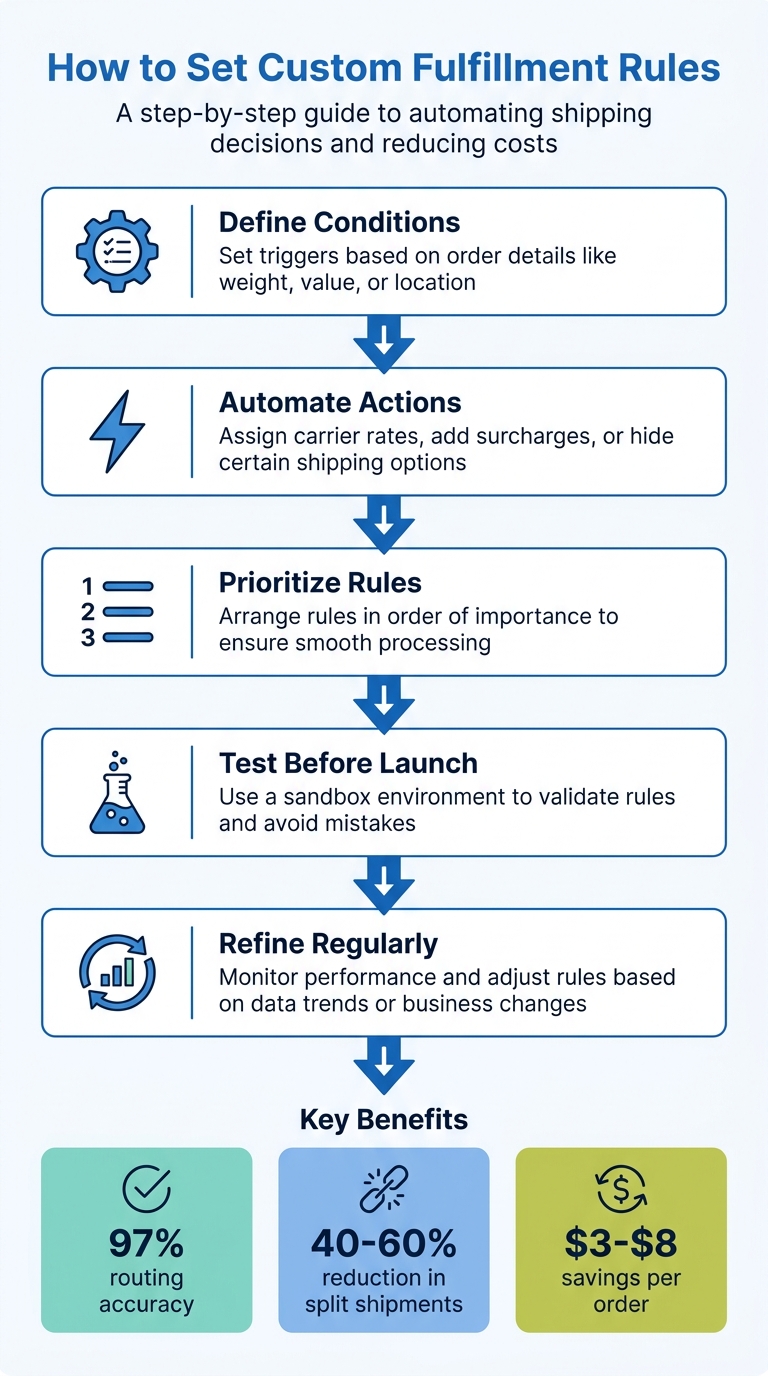
Setting custom fulfillment rules can save time, reduce errors, and improve shipping efficiency. These rules work by automating decisions based on real-time factors like inventory, shipping zones, or product weight. For example, they can prioritize single-location fulfillment to cut costs or block certain shipping methods for hazardous materials. Here's how to get started:
- Define Conditions: Set triggers based on order details like weight, value, or location.
- Automate Actions: Assign carrier rates, add surcharges, or hide certain shipping options.
- Prioritize Rules: Arrange rules in order of importance to ensure smooth processing.
- Test Before Launch: Use a sandbox environment to validate rules and avoid mistakes.
- Refine Regularly: Monitor performance and adjust rules based on data trends or business changes.
Platforms like Navexa simplify this process by offering tools for rule creation, testing, and analytics. Properly implemented rules can improve routing accuracy to 97%, cut split shipments by up to 60%, and save $3–$8 per order. Start small, focus on your biggest bottlenecks, and continuously optimize for better results.
5-Step Process for Setting Custom Fulfillment Rules
Assess Your Fulfillment Needs
Find Your Operational Bottlenecks
Take a close look at your last 90 days of order data to uncover where your fulfillment process is falling short. Some of the most common issues include manual decision-making (like guessing package weights or choosing carriers without data), split shipments that rack up unnecessary pick-and-pack fees, and inefficient routing that ignores real shipping costs or transit zones.
Matt Riddle, Director of Systems and Strategy at Intelligentsia Coffee, shared their pre-automation challenges: "Our initial software didn't understand that shipping one box that weighs 30 pounds is a whole different story than shipping six boxes that weigh five pounds."
Top-performing operations typically hit a 97% routing accuracy rate. If your rate dips below 95%, it’s a sign that your rules might need fine-tuning or that you’re missing edge cases. Another key metric to watch is your split shipment rate. For standard product assortments, aim for less than 8%, and for more diverse inventories, stay below 15%. Implementing a single rule to prioritize single-location fulfillment can slash split shipments by 40–60%.
When mapping transit zones, use actual carrier zone maps instead of relying purely on distance calculations. Sometimes, a warehouse 400 miles away can deliver faster than one 150 miles away because of carrier hub networks. Also, identify geographic "dead zones" where no warehouse can meet a 2-day delivery promise. This way, you can adjust customer expectations at checkout to avoid future disappointment.
Once you’ve pinpointed the bottlenecks, focus on refining the rules that will make the biggest difference.
Choose Your Top Priority Rules
To streamline your fulfillment workflow, start by prioritizing the rules that will have the most impact. Use the data from your bottleneck analysis to guide your decisions.
Pick 2–3 rules that address your biggest cost drivers or service failures. For instance, if split shipments are a recurring problem, tackling this can lead to immediate savings.
David Vance from Nventory US highlights the importance of routing logic: "If you operate more than one fulfillment location, your routing logic is one of the highest-use levers in your entire operation. Get it right and you cut costs... Get it wrong and you burn money on every order you ship."
Most businesses see the best results by focusing on three key areas: cheapest carrier routing for standard orders to protect margins, single-location fulfillment to avoid duplicate fees, and inventory health weighting to minimize write-offs at less-used warehouses. If you deal with hazardous materials or oversized items, prioritize hard constraint rules to filter out ineligible options before optimizing costs.
Strive for a shipping SLA success rate of at least 92% for standard orders and 98% for express shipments. If certain regions consistently cause delays, develop rules to route those orders to closer warehouses or adjust delivery promises during checkout. This approach ensures smoother operations and better customer satisfaction.
sbb-itb-ed0a9d1
How to Configure Custom Fulfillment Rules
Set Up Conditions and Triggers
Head to the Rate Rules section in your Navexa workspace to begin mapping orders to carriers and services. This is done by defining triggers and conditions based on key order attributes.
Every rule starts with a trigger event like "Order is Imported" or "Shipment is Added." From there, you can narrow the scope using filters that focus on specific scenarios. Common filters include:
- Geographic zones: Country, state, or zip code.
- Order value: Cart subtotal thresholds.
- Product attributes: SKUs, categories, or hazardous material status.
- Package weight: Physical or dimensional weight.
- Customer type: Wholesale vs. retail.
- Address type: Residential, commercial, or PO Box detection.
When setting conditions, use AND logic if all criteria must be met (e.g., "International" and "Weight > 10 lbs"). For flexibility, apply OR logic when any single condition should trigger the rule. You can also specify start and end dates for rules - perfect for time-sensitive promotions.
Once your conditions are solid, you’re ready to link them to automated actions.
Configure Rule Actions
After defining the conditions, connect them to automated actions. Navexa offers several action types to streamline fulfillment, such as:
- Multi-carrier rate shopping: Compare rates across USPS, UPS, FedEx, DHL, and more.
- 3D bin-packing: Optimize box selection for shipments.
- Order consolidation: Merge shipments going to the same address.
You can also set actions to:
- Override rates with a flat fee.
- Add surcharges or discounts (fixed or percentage-based).
- Hide specific shipping methods from customers.
- Automatically assign carrier services like Express or Ground.
For example, Meridian Goods used Navexa’s consolidation flagging to merge shipments to the same address, cutting their per-order shipping costs by 13% in just eight weeks.
"We replaced two SaaS subscriptions with Navexa and cut our per-order shipping spend 13% in eight weeks. The consolidation flagging alone pays for itself." – Dana Reyes, Head of Operations, Meridian Goods
Once your actions are configured, the next step is organizing your rules for smooth processing.
Set Rule Priority and Order
The order of your rules determines the logic applied when multiple criteria are met. Navexa processes rules sequentially, typically from 0 to 999, with lower numbers evaluated first. For best results:
- Place hard constraints (e.g., inventory limits, hazardous material restrictions) at the top to block ineligible options.
- Use the "Stop Further Processing" option for final rules. This ensures critical decisions, like free shipping promotions, aren’t overridden by subsequent rules.
- Add a fallback rule at the lowest priority to handle edge cases.
When managing complex rule sets, group similar rules together for clarity. For instance, organize all "Heavy Item" or "International" rules in one section and give them descriptive names like "Heavy Items - Express Post" instead of generic titles.
Finally, test your rules in a sandbox environment to confirm everything works as expected before going live. This ensures a smooth checkout experience for your customers.
Test and Validate Your Rules
Test in a Sandbox Environment
Before rolling out your rules, it's smart to test them first in Navexa's Test Slots. This feature allows you to activate rules in a "Testing" status. In this mode, the system calculates performance metrics - like the Fulfillment Health Score, projected mileage reduction, and estimated delivery time improvements - without impacting live fulfillment operations.
Navexa applies rules in a specific order: Surcharge, followed by Set (overrides), and finally Hide. This sequence ensures all rule interactions are accounted for. Start with a soft launch by activating new rules on just 10–20% of orders. Monitor their performance daily before expanding to 100% of orders. This phased approach minimizes risks and helps you identify potential edge cases early. Aim for a Routing Accuracy Rate of 97% or higher during testing, while maintaining an SLA hit rate of at least 92% for standard shipments and 98% for express shipments.
These steps ensure that your configurations are functioning as intended, offering a smooth transition to live operations. Once testing is complete, simulations can further evaluate how your rules perform against historical data.
Preview Rule Results
After sandbox testing, use simulation to see how your rule changes would have impacted past orders. Navexa's Simulation Mode allows you to test new rules against 30 days of historical data. This reveals potential shifts in costs, delivery times, and carrier choices. The dashboard's Score Breakdown and Score Comparison features help you visualize differences between your current setup and the proposed rules, making it easier to identify areas of improvement or concern.
Before going live, double-check that hard constraints - such as inventory availability and hazardous material restrictions - are prioritized. These constraints should eliminate ineligible options before optimization rules are applied. For example, testing has shown that prioritizing single-location fulfillment over split shipments can reduce split shipment rates by 40–60%, which directly lowers costs. Simulated results provide solid evidence of how your custom rules can cut costs and improve delivery times effectively.
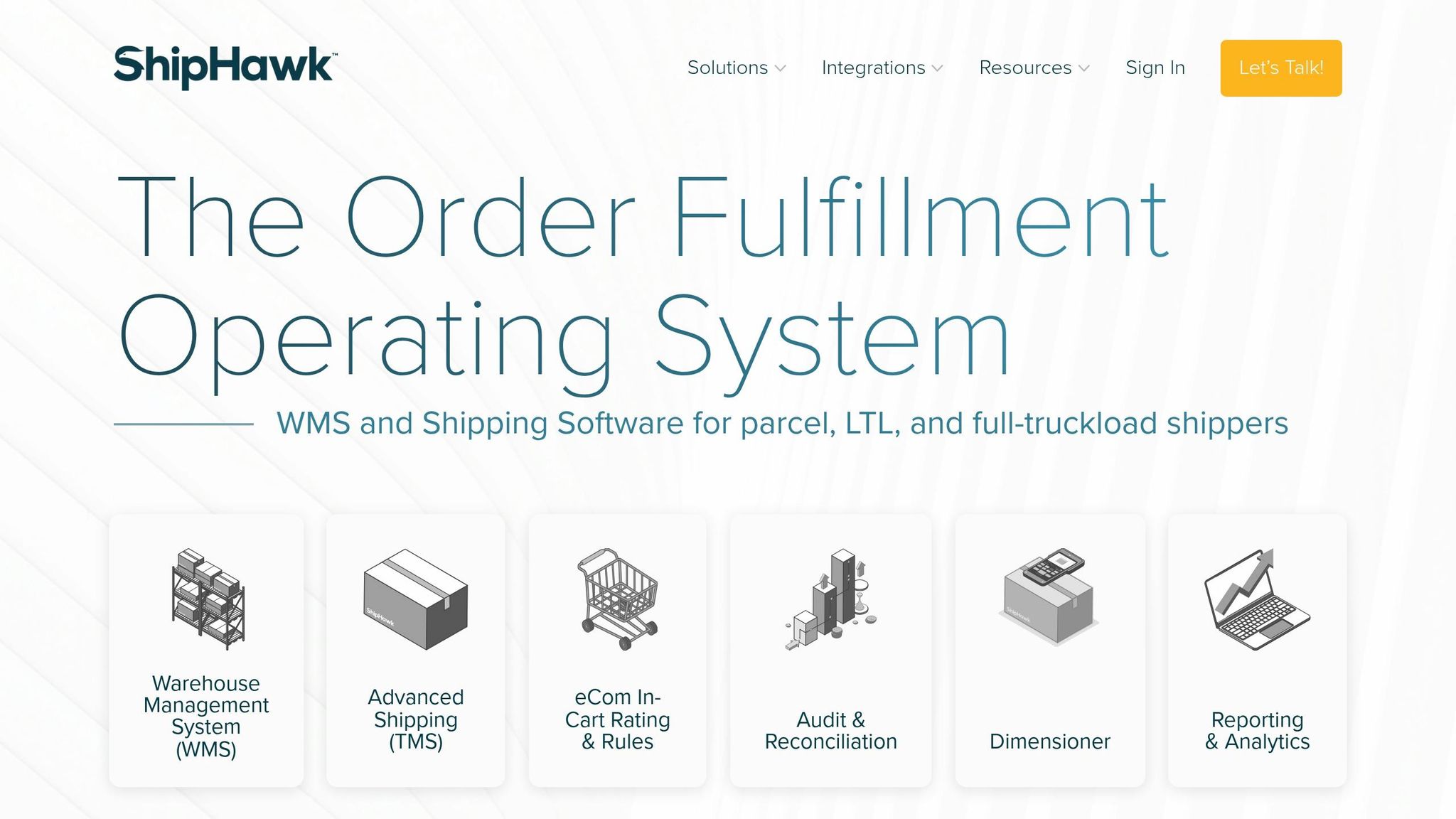
How ShipHawk Enables Users to Create Powerful Custom Business Rules
Update and Improve Rules Over Time
After validating your custom rules, it’s important to keep refining them to align with shifting business needs.
Modify Rules for Peak Periods
Adapt your fulfillment rules to match your business calendar. Leverage date-based triggers to automatically enable or disable specific rules during key periods like holiday sales or other high-demand windows. In Navexa, for instance, you can set "Valid From/To" conditions or use "current date" logic to manage these changes without manual effort.
During peak times, adjust routing weights to distribute orders more effectively across warehouses. For example, you might allocate 60% of orders to Warehouse A and 40% to Warehouse B to prevent bottlenecks. This is especially critical during holiday sales, which can account for up to 30% of annual sales but also see return rates of 17.9%. Automating return label generation during these periods can help manage the increased volume efficiently.
"Routing rules are not a set-it-and-forget-it configuration. They are a dynamic operational input that should evolve as your warehouse network grows, your carrier contracts change, and your customer geography shifts." - David Vance, Nventory US
Before the busy season kicks off, document the "last day to ship" for each service level - Ground, Next Day, etc. - and region to ensure your rules reflect these deadlines. To safeguard against the heightened risk of loss or theft during peak periods - when over 1.7 million packages are lost or stolen daily in the U.S. - you can create rules to automatically insure all packages or those exceeding a specific value. Instead of deleting seasonal rules after the holidays, disable them so they can be quickly reactivated and adjusted for the next peak season.
Track and Refine Performance
Regular monitoring is key to keeping your rules effective. During peak periods, review rule performance weekly, and during normal operations, aim for quarterly checks. Focus on metrics like:
- Routing Accuracy Rate: Aim for 97% or higher.
- Cost Per Order: Keep it within 5% of your optimal target.
- SLA Hit Rate: Strive for 92%+ for standard shipping and 98%+ for express.
- Split Shipment Rate: Maintain this below 8% for standard assortments.
If your routing accuracy rate falls below 95%, it’s a red flag that rules may not be triggering as expected or that certain scenarios are bypassing your logic.
Analyze the past 90 days of order data to identify trends. For example, look for issues like unnecessary split shipments, SLA failures in specific regions, or inventory piling up in the wrong warehouses. After major operational changes - like adding a warehouse or renegotiating carrier contracts - review your rules to ensure they’re still effective. Also, track how often staff manually override automated routing. A high override rate often signals outdated rules or inaccurate inventory data.
Conclusion
Pinpointing operational bottlenecks is key to streamlining your processes. Focus on creating rules that reduce costs, meet delivery timelines, and enhance customer satisfaction. Ensure these rules are clearly defined with specific conditions, actions, and a well-structured hierarchy. Before implementing, test them thoroughly in a sandbox environment, and continuously refine them to align with your business's growth and changes.
When done right, these rules can significantly improve efficiency. For example, they can increase routing accuracy to over 97%, reduce split shipments by 40–60%, and save between $3–$8 per order by minimizing multi-location fulfillment. On top of that, they eliminate manual decisions while ensuring compliance.
Navexa makes achieving these results easier by offering a unified workspace. This platform integrates real-time multi-carrier rate shopping, 3D bin-packing, and automatic order consolidation into one system. Instead of managing multiple disconnected tools, you can handle everything - from inventory forecasting to completing customs forms - all in one place.
"Navexa covers the full arc of modern fulfillment - from the moment an order enters your store to the label that ships it - in one workspace." - Navexa
FAQs
Which fulfillment rules should I set up first?
To get started, set up rate rules that match orders with the right carriers and services. These rules take into account factors such as weight, destination, or shipping zone, helping to keep costs low while boosting efficiency. After that, configure consolidation rules to group orders together, which can lead to significant savings. Finally, establish order routing rules to determine the best delivery options based on location, available inventory, or required service levels. Together, these rules create a smoother and more cost-efficient fulfillment process.
How do I handle orders that match multiple rules?
When an order aligns with multiple rules, the system processes them in a specific order. Rules are evaluated one by one, and once a condition is satisfied, further rules might be bypassed based on how the system is configured. For item-specific rules, these operate simultaneously and can take precedence over order-level rules for particular items. To ensure the system behaves as intended, it's crucial to assign rule priorities thoughtfully.
How can I test new rules without breaking live shipping?
To experiment with new fulfillment rules without interfering with live shipping, use a sandbox or testing environment. This approach allows you to safely simulate scenarios and assess how the rules perform before implementing them in real operations. By testing first, you can confirm that your rules function correctly without impacting actual customer orders or shipping workflows.
Ship your next order through Navexa.
Connect a store, buy a label, and see the numbers yourself.